You already know the problem: Some sections in your Python script run fast, but others (like importing dependencies) take a few seconds. If you’re only half as impacient as me, you don’t want to sit in front of a black console, wondering if your script got stuck.
Usually you would put a print(“…”) before each section:
#=================== import dependencies
print("importing dependencies")
import numpy
import matplotlib
...
But obviously this brings redundancy and is a lot of extra typing.
Instead of all these prints, we define a function printprev():
def printprev(n=1):
    import linecache, inspect
    for l in range(-n, 0):
        print(linecache.getline(__file__,inspect.currentframe().f_back.f_lineno+l).strip())
Calling this function prints your code structure, and even the code itself to the output:
#=================== import dependencies
printprev()
import numpy
import matplotlib
#=================== define variables
m = 100
n = 100000
numbers = numpy.zeros(m)
#=================== running calculations
for i in range(n):
    numbers[numpy.random.randint(0,m)]+=1
printprev(3)
#=================== reporting the results
printprev()
print(numbers)
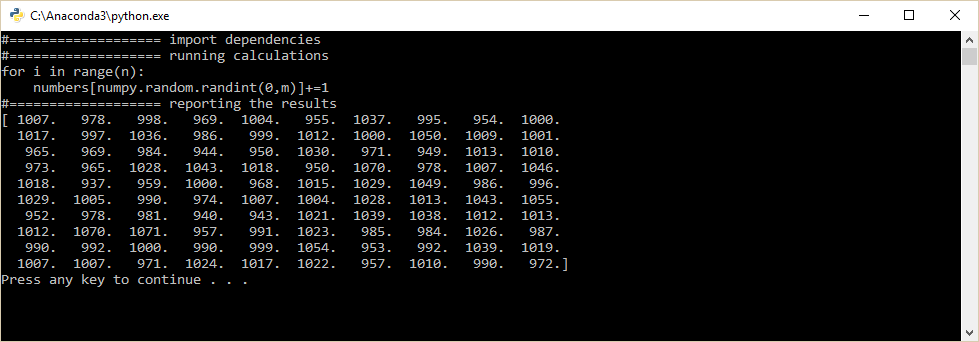
That’s it. Let me know if you have some interesting ideas what to do with this!
cheers